Tag.
  1. Catch
  2. Find
  3. Write
  4. Red pen
  5. Set
  6. Stage
  7. Keep
  8. Share
Idea Get Tag
Tag: Comedy Notebook · iPhone, iPad and Apple Watch

A notebook that goes on stage with you.

Catch the premise, write the joke, perform the set, keep what lands. This page works the way the app does. Write one bit here and take it all the way to the light.

Catch it·Work it·Take it up·Keep what lands
Setup and punchIdea

An example bit. Change it below and every card on the page changes with it.
01

Catch it before it’s gone.

A premise is one sentence about something that actually happened. It doesn’t have to be funny yet. Get it onto a card in the moment; work on it later at the Desk.

  • FastestSay it. Siri, the Lock Screen widget and the Apple Watch each get you to a blank card in one move.
  • Already rambling into Voice Memos?Share a memo to Tag. It transcribes it on the device and cuts it into ideas at the pauses.
  • Years of notesPaste them in from Settings. Leave a blank line between ideas; a list becomes one idea per line.
PremiseIdea

02

Find the joke in it.

A joke sets up one picture, then shows the room it was looking at another. Three questions get you from the premise to the word that flips it. In the app this is Find the joke on any premise; no coach, nothing leaves the phone.

  • Stuck on the second question?Say the premise out loud to someone. What they ask next is usually the assumption.
  • Your answers stayThey sit above the page while you write, so the punch word is in front of you.

01

What does the room assume?

Say the premise out loud. What picture do they make, and what do they take for granted?

02

What else could it mean?

Another way to read the same words or the same situation. The stranger, the better, as long as it’s still true.

03

Which word flips it?

The word that reveals the second picture. That’s your punch word; it goes last.

Write the joke →
03

Write it the way you say it.

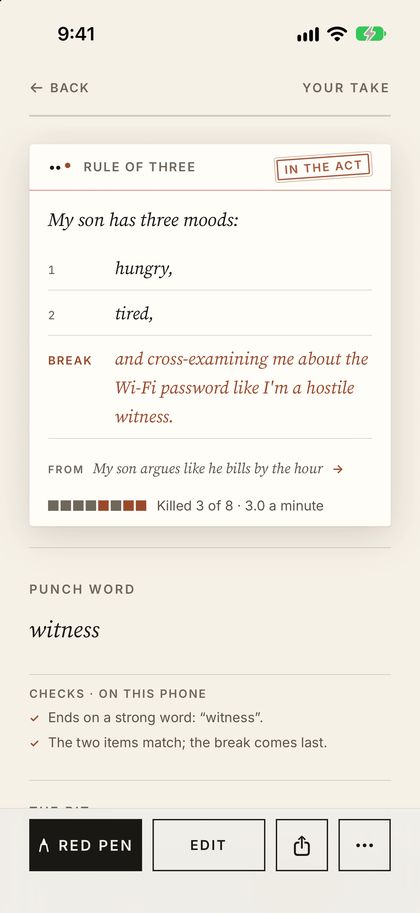
Pick the shape, then fill it in. The checks under the page are the ones Tag runs on the phone as you type: hedges, a weak last word, words trailing after the laugh. They never change a word.

  • Twelve formatsFour are here. The app adds classic frames, compare and contrast, wordplay, stories with laugh lines, act-outs, attitude bits, roast lines and crowd work.
  • Punch word lastThe laugh lands on the word that turns it. If the check says the line ends on “it” or “though”, move the turn to the end.
  • Don’t edit the first take to deathWrite another. One premise holds as many bits as you like, and Tag keeps earlier versions as you rewrite.


Checks · on this page, as on the phone
    04

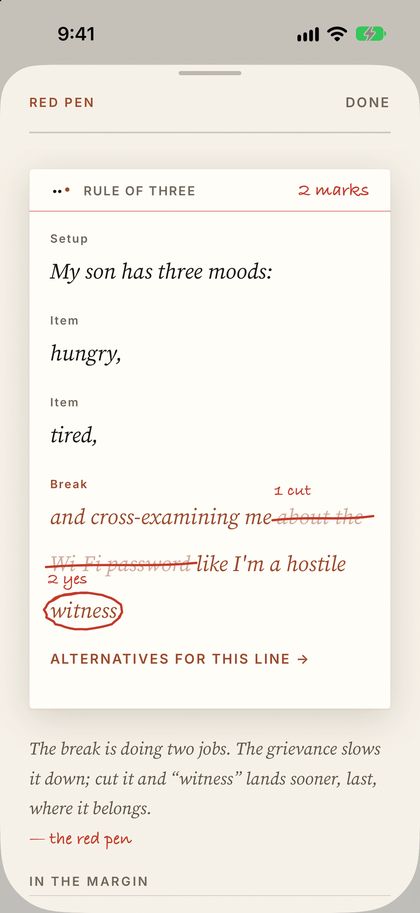
    A red pen, not a ghostwriter.

    When you ask, the coach marks up what you wrote: what to cut, where the laugh is, what to make specific. You take each mark or skip it, and your version from before is kept.

    On this page nothing is sent anywhere, so the pen only marks what the on-device checks can see. In the app the coach is Claude, a model made by Anthropic, and it reads the whole bit.

    • It’s a choiceYou pick how the coach works when you first open Tag, and nothing is picked for you. Change it any time in Settings.
    • Report itEverything the coach writes has “Report what the coach wrote” under it.
    Setup and punch

    In the margin
      How should the coach work with you?
      05

      Build the set against the light.

      A set is your bits in running order, with a time for each. Set the light (the room’s signal that your time is nearly up) and Tag shows what fits. Your bit is in as the opener, with four examples behind it.

      • Start one+ New set on the Desk, then + Add bits on the set’s page.
      • Times get truerThey start as an estimate from the word count. Once a bit has been taped, the set uses how long it really ran.
      • Know the roomMark a set Clean or PG-13 and it flags any bit rated above the room.

      Tuesday tight five

      Light at
      Against the light

        06

        Take it up.

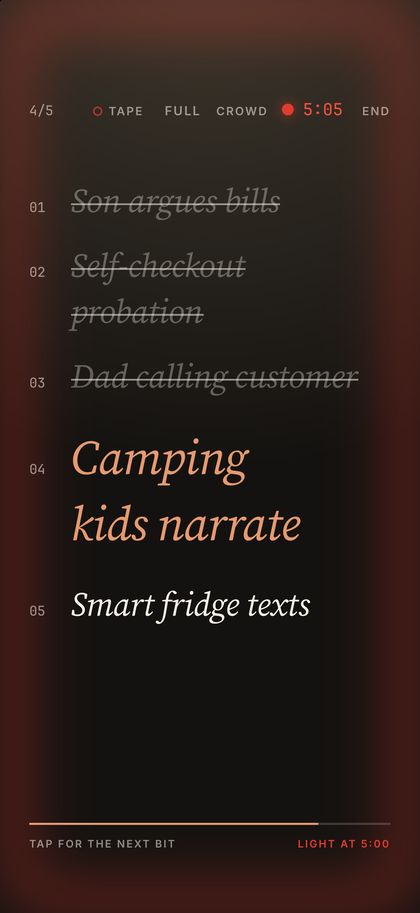
        Stage mode is big, dark and quiet: the bit, the clock and the light. Tap anywhere for the next bit. A minute before the light the clock warns you; at the light the whole screen glows.

        • Tape itTap TAPE and it records your set, even with the phone locked or in a pocket. It never starts by itself.
        • CuesSwitch from the full bit to cue words when you only need a nudge.
        • Without looking downThe set is on your Lock Screen, and an Apple Watch taps your wrist a minute before the light and at the light.
        This page runs the clock fast:
        07

        Keep what lands.

        Log the set the same night: one tap per bit. Every bit builds a record across rooms, so after a few weeks the notebook knows your closer better than you do.

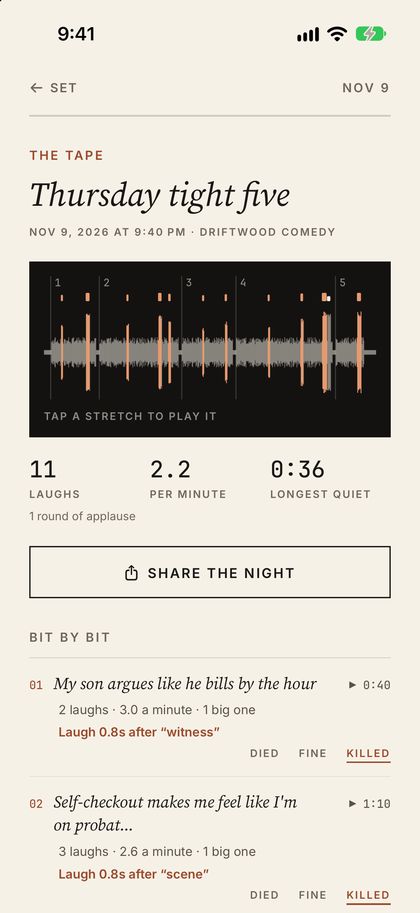
        • The tapeKept with the night, on the phone that recorded it. Tap any stretch of the waveform to hear it; every bit plays back from its own page.
        • Tag PlusCounts the laughs on the tape, bit by bit, on the phone. Plus
        • Move it upIdea, Draft, Trying out, In the act, Retired. Stamp a bit as it earns it.
        How did it go?

        An illustration of a night’s tape · tap a stretch to play it, in the app
        11Laughs
        2.2Per minute
        0:36Longest quiet

        Counting laughs is part of Tag Plus, an in-app purchase. Taping a set needs no purchase.

        08

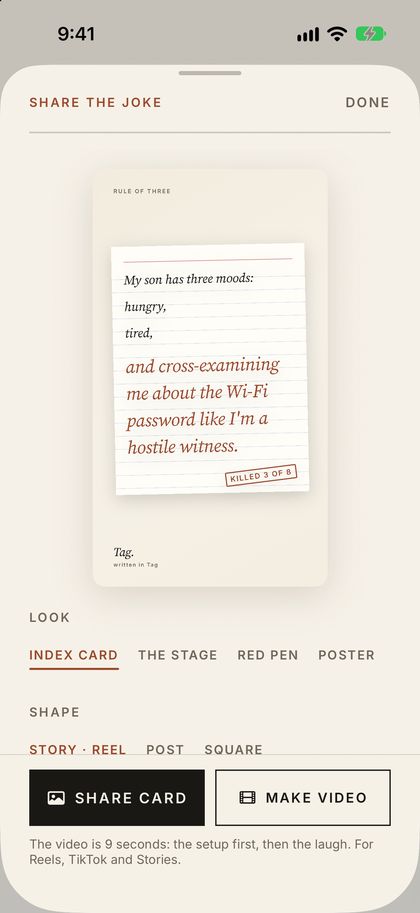
        Post the one that killed.

        The share button on any bit makes a card for your feed, or a short video that plays the setup first and then the laugh. Four looks, three shapes, your handle on it.

        • VideoSix to twenty seconds, paced to read: the setup, a beat, the punch, the pen.
        • Stamp its recordOnce a bit has killed on stage, the card can say so.
        • Just the wordsCopy the words, or share as text, when a picture is too much.
        Look
        Shape

        This is a preview. In the app, Share card and Make video hand the picture or the video to Instagram, TikTok, Messages or your photo library.

        Getting the most out of it

        Six habits of comics who use it well.

        Catch now, work later.

        Put the widget on your Lock Screen. The premise you’ll remember tomorrow is never the one you had in the car.

        One premise, many bits.

        When a take isn’t working, write another on the same premise. Add a tag for a second punchline on the same setup.

        Run it before you take it up. Plus

        Run it times a rehearsal bit by bit. Keep those times and the set, the light and the Desk all use them.

        Tape every set.

        Tap TAPE as you walk up. What you actually said is often better than what you wrote, and the tape is how you find out.

        Log it that night.

        Died, Fine or Killed, while you still remember. A bit that’s killed four of eight is a fact; a bit you think is good is a feeling.

        Let the record pick the closer. Plus

        Build a set from your best ranks your own bits by how they’ve done on stage, then picks and orders the set. Nothing in it is written by anyone but you.

        The real thing

        The same moves, in the app.

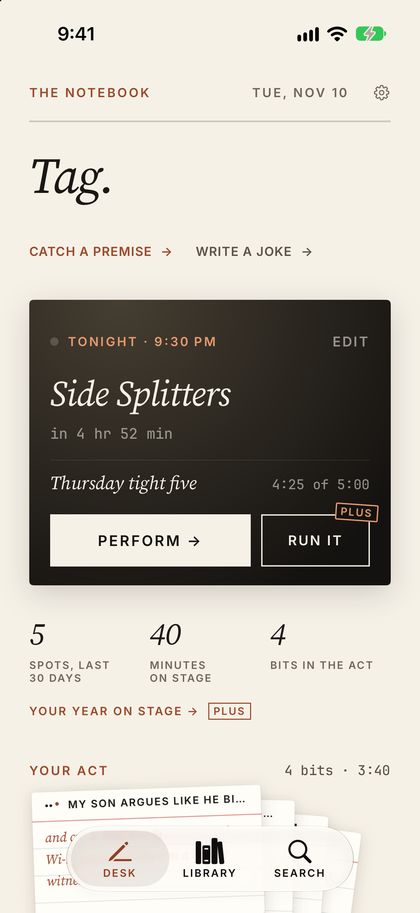
        The Desk: tonight’s spot, the set, and your act
        The DeskTonight’s spot, your act and last night.
        A bit on its card with its checks
        A bitOn its card, with its checks and its record.
        The red pen marking a rule-of-three bit
        The red penMarks on your words, taken one at a time.
        Stage mode at the light, glowing red
        The stageCue words, the clock, and the light.
        A night’s tape with laughs counted
        The nightThe tape, with laughs counted. Plus
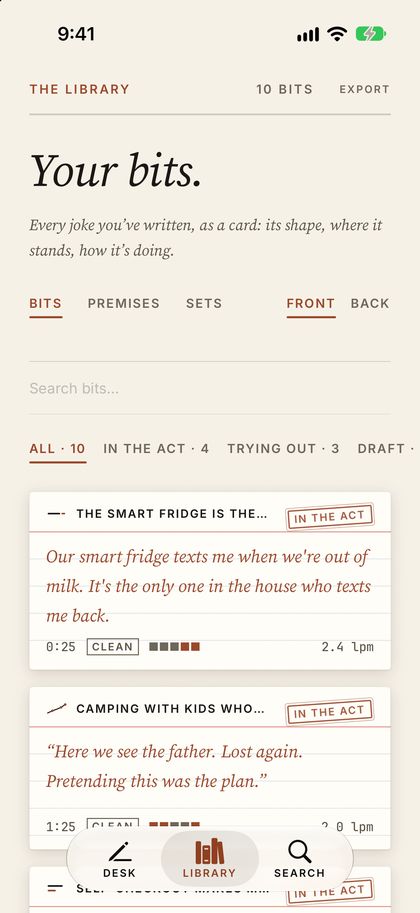
        The Library: every bit as an index card
        The LibraryEvery bit on its own card.
        Share the joke: a card preview with looks and shapes
        Share the jokeA card or a short video.
        Included

        Everything on this page.

        • Every premise and bit in all twelve formats
        • The red pen
        • Sets
        • The stage
        • The light
        • The Live Activity
        • The Apple Watch app
        • Taping your sets
        • ICloud sync and full export

        Nothing you wrote, taped or logged is ever locked.

        Tag Plus · in-app purchase

        For when it’s a habit.

        • Laughs counted on every tape
        • Transcripts and the lines you said that aren’t on the page
        • The night as a poster
        • The set builder
        • Gigs
        • Pay and your year on stage
        • Run it
        $29.99a year, with a 14-day free trial for new subscribers
        $3.99a month
        $79.99once, no renewal

        Prices in US dollars. Family Sharing included.

        No account · your notebook stays on your devices and in your own iCloud

        Write the next one in Tag.

        Tag is on the App Store for iPhone and iPad, with an Apple Watch app.

        Download on the App Store